
So, what are releases?
Packaging/bundling software and making it available for a broader audience for download and use.
Why use them?
-
To distribute the software (Binary distribution).
-
To keep track of type and amount of changes.
-
To follow Semantic versioning practices.
-
To go back in time and use the previous version.
-
It looks professional.
Why automate releases?
Creating a release manually can be a little tricky and challenging at the same time. Using a GitHub workflow with a few lines of the YAML, we can automate that task and focus more on development. Alongside, it also generates a changelog file (CHANGELOG.md) and tags.
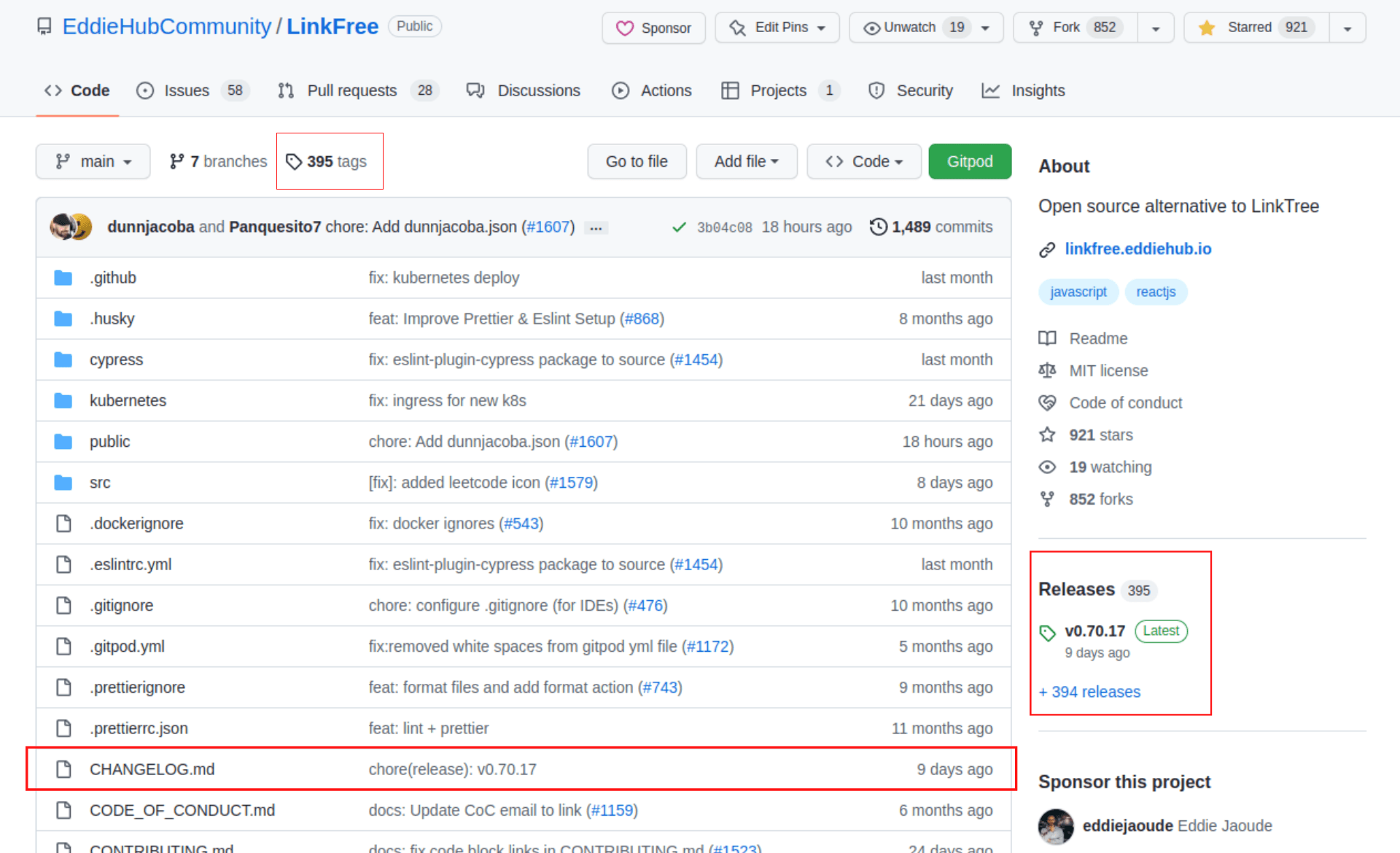
Picture - EddieHubCommunity/LinkFree repo.
Using the workflow.
Create a .github folder inside the root of the repo. Create a folder name workflows inside the .github folder. Then create a releases.yml file by adding the YAML config provided below inside the workflows folder.
- Complete path will be
.github/workflows/releases.yml
YAML Config:
name: Releases
on:
  push:
    branches:
      - main

jobs:
  changelog:
    runs-on: ubuntu-latest

    steps:
      - uses: actions/checkout@v3
      - name: conventional Changelog Action
        id: changelog
        uses: TriPSs/conventional-changelog-action@v3
        with:
          github-token: ${{ secrets.github_token }}

      - name: create release
        uses: actions/create-release@v1
        if: ${{ steps.changelog.outputs.skipped == 'false' }}
        env:
          GITHUB_TOKEN: ${{ secrets.github_token }}
        with:
          tag_name: ${{ steps.changelog.outputs.tag }}
          release_name: ${{ steps.changelog.outputs.tag }}
          body: ${{ steps.changelog.outputs.clean_changelog }}
Understanding the config
- To automatically trigger a workflow on some events, we use the
on:property. In this case, action will get triggered when the changes are pushed to themainbranch. We can also modify the branch according to our preferences
on:
  push:
    branches:
      - main
- We will be running the workflow on Ubuntu OS. We can also change that
jobs:
  changelog:
    runs-on: ubuntu-latest
- Here we are using two Actions. The
checkoutaction will be used to checkout and go inside the repo, and theconventional-changelog-actionwill look for conventional commits. It will also create a changelog file.
By default, GitHub provides a default token github_token. We can also use a Personal access token.
    steps:
      - uses: actions/checkout@v2
      - name: conventional Changelog Action
        id: changelog
        uses: TriPSs/conventional-changelog-action@v3
        with:
          github-token: ${{ secrets.github_token }}
- Here, we are using the
create-releaseaction, which will create an auto release for us depending on the convention of the commit used
It will auto-set the body and the release commit naming.
      - name: create release
        uses: actions/create-release@v1
        if: ${{ steps.changelog.outputs.skipped == 'false' }}
        env:
          GITHUB_TOKEN: ${{ secrets.github_token }}
        with:
          tag_name: ${{ steps.changelog.outputs.tag }}
          release_name: ${{ steps.changelog.outputs.tag }}
          body: ${{ steps.changelog.outputs.clean_changelog }}
Working
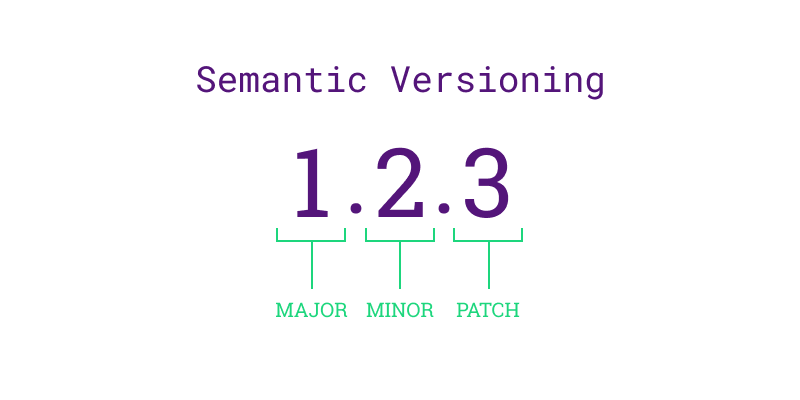
To make the workflow create the automated releases. We need to follow some commit conventions - Conventional Commits. Depending upon the convention used, it will version the new release.
-
fix:Will bump the last digit - patch. -
feat- Will bump the middle digit - minor -
BREAKING CHANGE:- It will bump the first digit by - major
I have also written a blog on Conventional Commits. You can check out that - Getting started with Conventional Commits
We are now all set. Now, when we create a commit with the proper convention, it will do all the magic for us.
That's the end of the blog. Thank you for reading it.