
In this post, you will learn how to make the most of Docker Compose. Discover the art of customizing Dockerfiles, keeping your environment variables secure, and building images with ease.
-
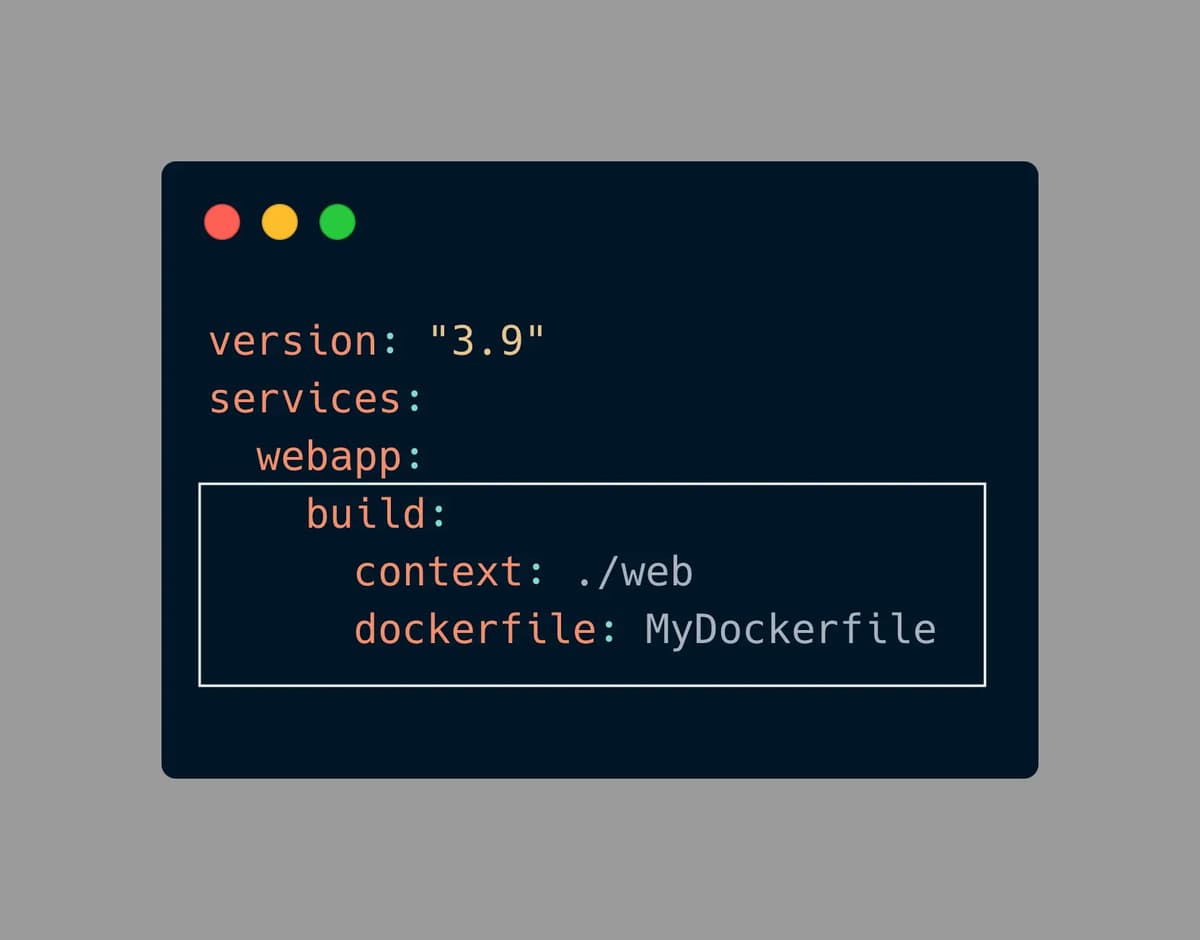
Customizing Dockerfile Name and Path: We can easily customize the name and directory of our Dockerfile using the context and Dockerfile options in Docker Compose. By default, Docker Compose looks for a Dockerfile named Dockerfile in the root directory of the context.
-
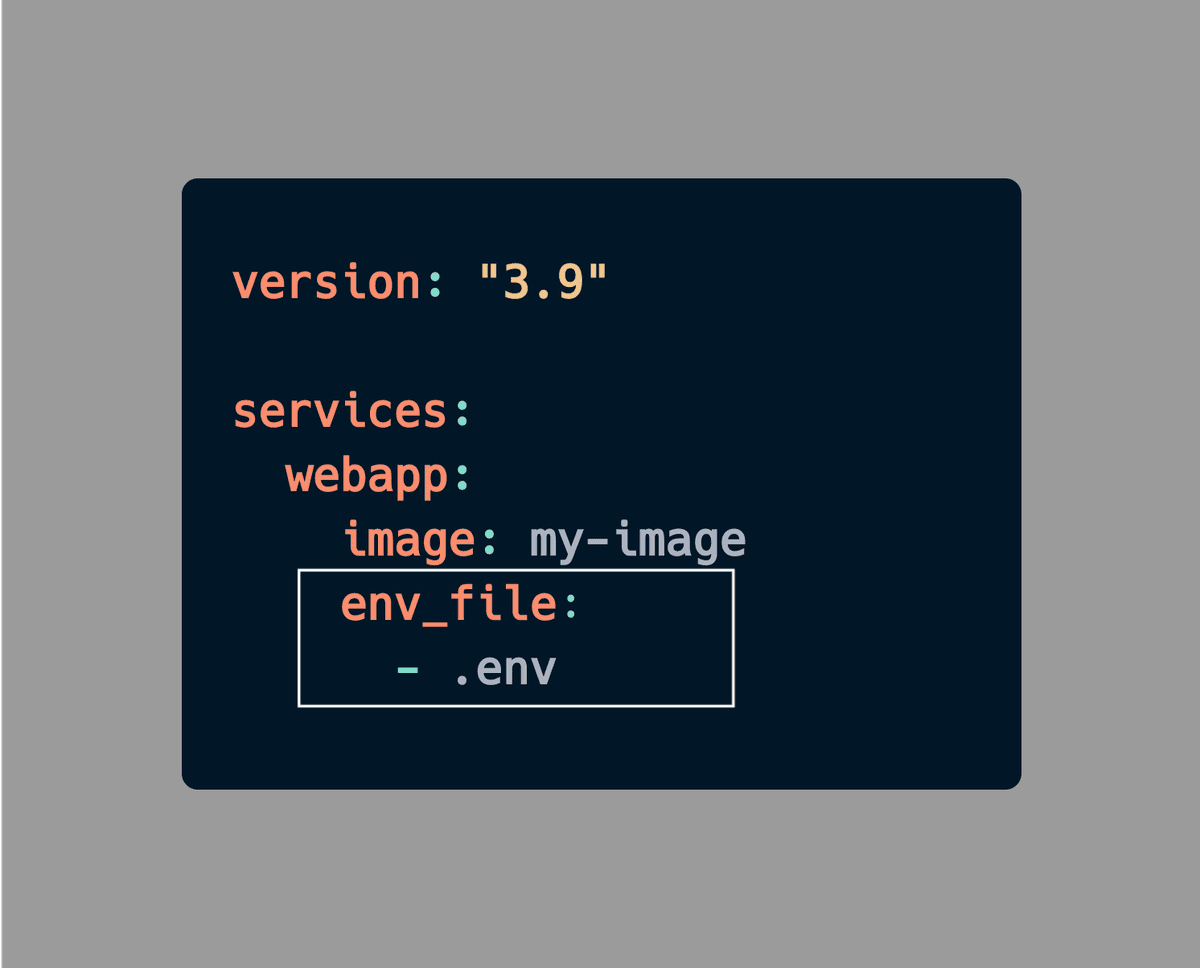
Using .env File in Docker Compose:
If you're working with environment variables in Docker Compose, it's best to use the env_file option instead of hardcoding them directly in the Compose file. This approach will keep your sensitive data secure and make your Compose file more reusable.
-
Building Images with Docker Compose:
Not only can you use Compose to run multiple services, but you can also use it to build images and save time typing long commands on the command line with the build command.

-
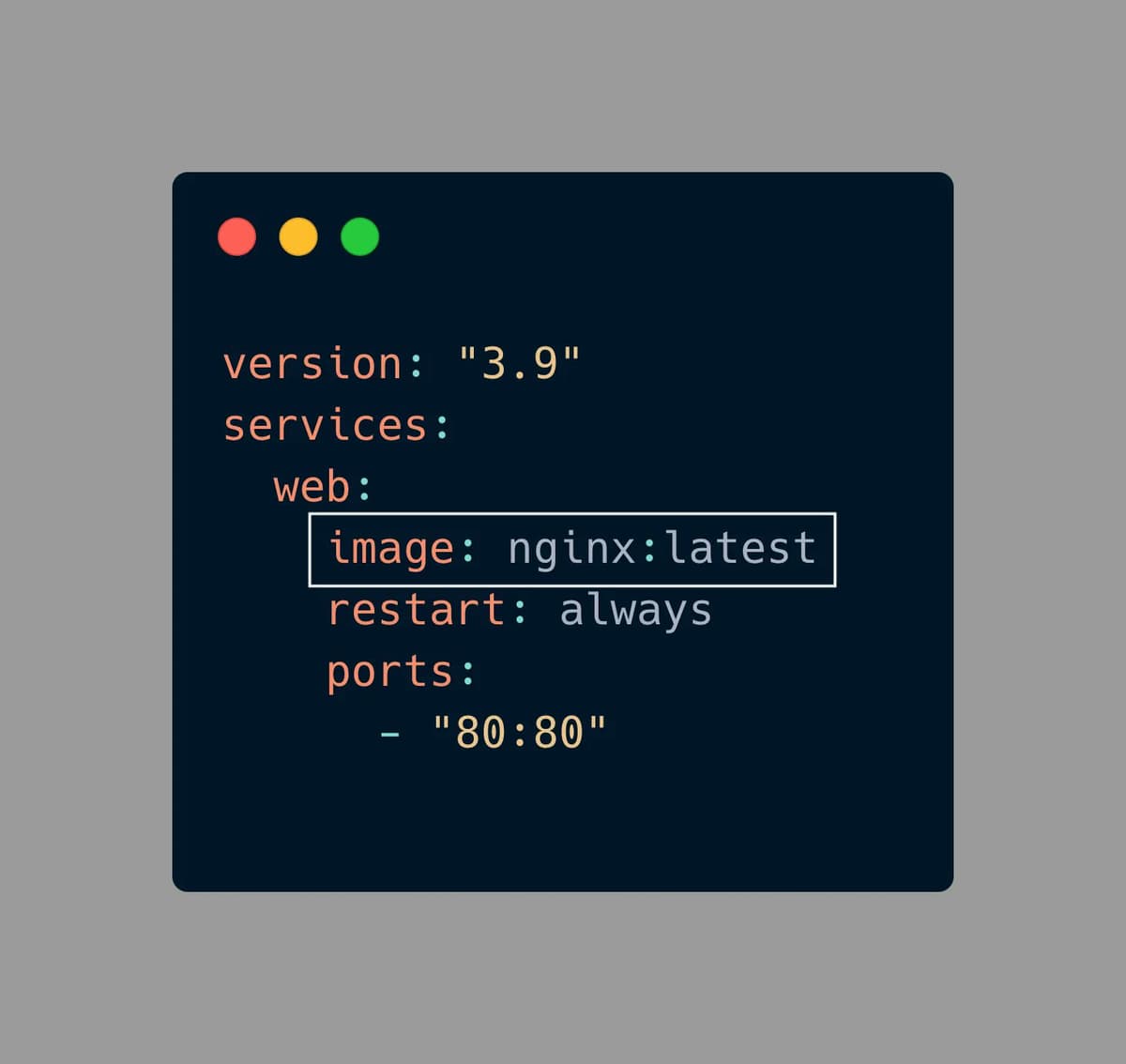
Restart Policy:
Use the 'restart: always' option in your Docker Compose file. If the container stops for any reason, Docker Compose will automatically restart it.
-
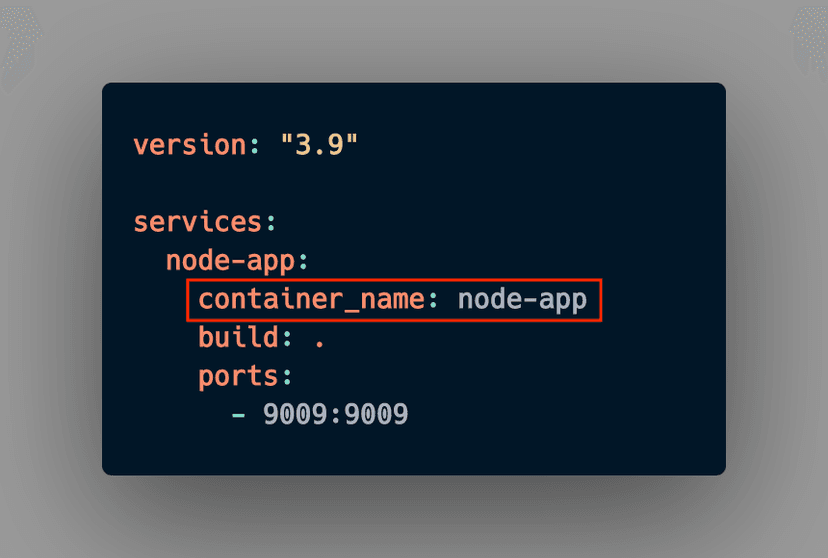
Assigning Container Names:
By default, Docker Compose assigns random names to containers created with it. However, you can assign more meaningful names to your containers by using the "container_name" property in your Docker Compose file. This allows for easier identification and management of your containers.
-
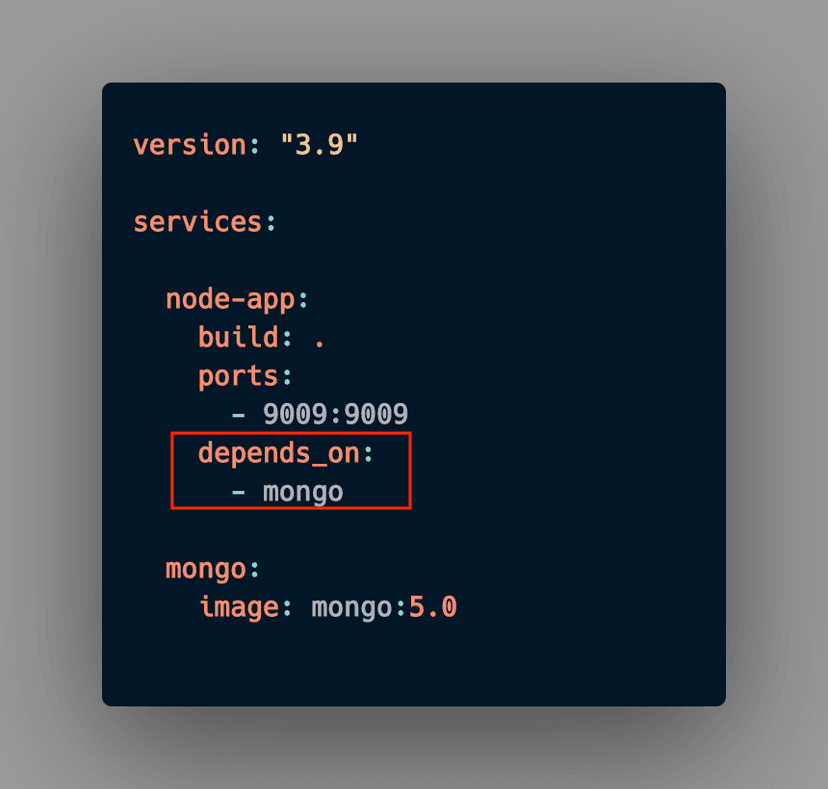
Depends on Property:
If a container depends on another container, and the latter needs to run first, use the "depends_on" property. This ensures that the Mongo container runs before the Node app container. NOTE: This does not guarantee that the container will start first, as it depends on various factors.
I hope you learned something from this blog. If you have, don't forget to drop a like, follow me on Hashnode, and subscribe to my Hashnode newsletter so that you don't miss any future posts. If you have any questions or feedback, feel free to leave a comment below. Thanks for reading and have a great day!